Ready to Put Your
Voice to Work?
- → Keep your trainer voice active inside every course
- → Reduce repeat live delivery without losing personal connection
- → Train more Trainees with a small team and less operational pressure
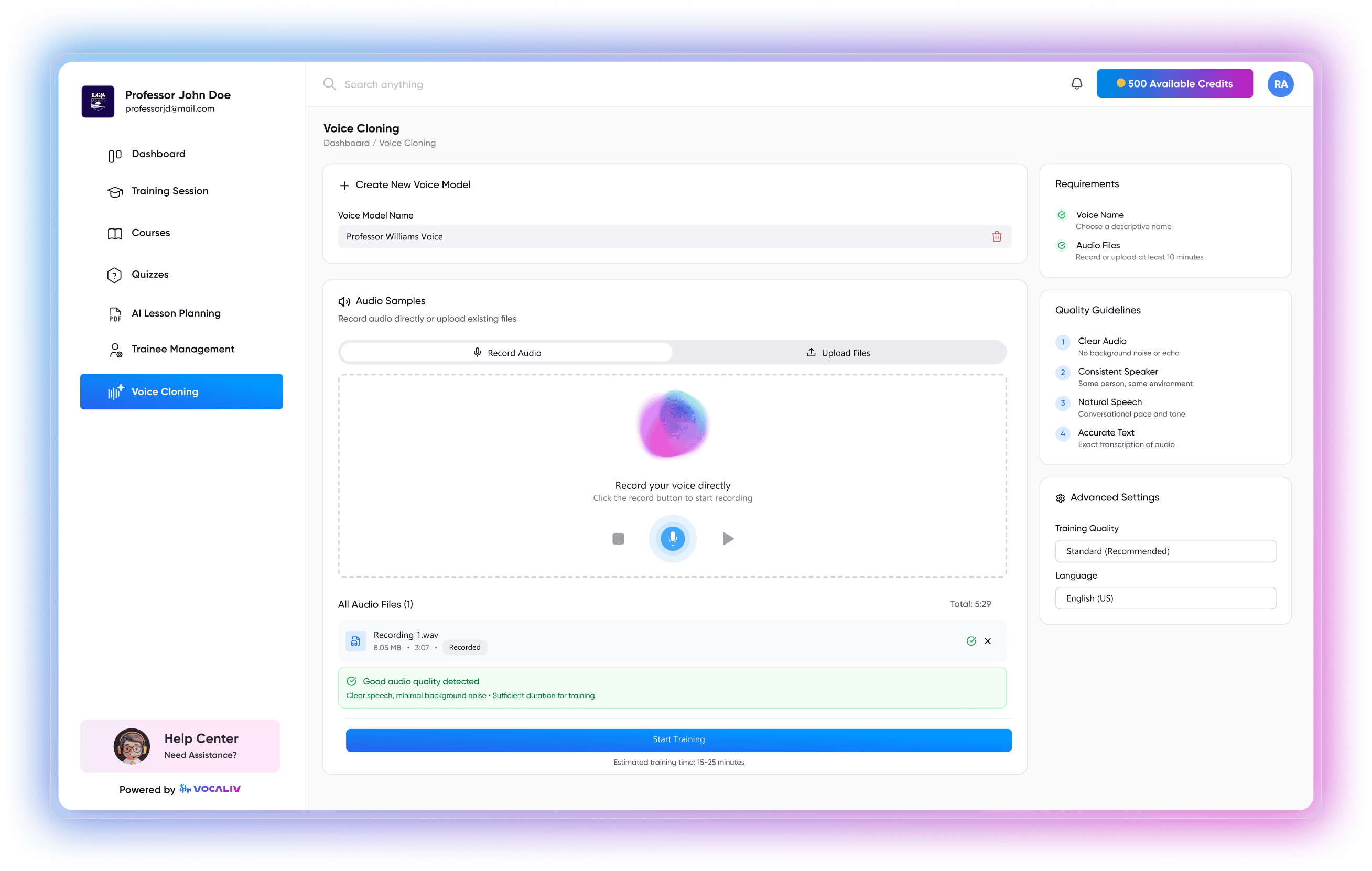
Clone your trainer voice, embed it into your courses, and let Trainees hear you even when you're not live. Scale your training delivery without losing the personal touch that sets you apart.
You cannot deliver the same live session every time a new Trainee enrolls, but Trainees still expect to hear from you.
The same concept explained five times in five different batches is time your business cannot afford to spend, especially when your team is just one or two people.
A standard text-to-speech voice gets the words right, but it does not sound like the trainer your Trainees signed up to learn from. It strips away the human feel that makes your training effective.
Growing your Trainee base should mean more impact, not more hours behind a mic or in front of a camera. You need a way to multiply your presence without multiplying your workload.
Voice Cloning lets trainers turn their own voice into reusable course delivery.
Your Trainees hear your voice, not a generic robot. That builds trust, keeps engagement higher, and reinforces the trainer-Trainee connection that makes your training effective.
Your voice stays in the course even when you are working with other clients, developing new content, or simply taking time off. Trainees still get the experience of being taught by you.
When your voice is part of the course content itself, you can enroll more Trainees without needing to schedule more live sessions or hire additional trainers.
Four Simple Steps. No Technical Setup Required.
Speak naturally for a few minutes in a quiet setting. That is all Vocaliv needs to capture the unique qualities of your voice, tone, pacing, and delivery style.
Vocaliv processes the sample and creates a digital voice model that sounds like you. This happens within the platform. No external tools, no complex configuration.
Choose which courses you want to use your cloned voice in. You stay in full control, apply it to one course, a few, or all of them, depending on your content strategy.
Once assigned, the cloned voice reads your course content aloud for every Trainee who goes through the lesson. They hear your voice, in the right tone, at the right pace, without you needing to record each lesson individually.
Choose exactly which courses use your cloned voice. Some courses might benefit from your personal delivery, while others may work better with a standard AI voice or no audio at all.
Adjust the speed of the voice delivery to match how your Trainees consume content. Faster for experienced Trainees reviewing material. Slower for beginners encountering new concepts.
Select from multiple voice styles - formal, conversational, friendly, or funny, to match the tone of the course content and the expectations of your audience.