Help employees use generative AI tools confidently, effectively and responsibly in their everyday work. Use this ready-to-customize training template to cover prompt structure, context and role-setting, iterative refinement, output verification, data protection, everyday productivity use cases and your organization's AI usage policy.
Many employees already have access to generative AI tools, but results vary widely. Vague prompts produce generic answers, unchecked outputs introduce errors, and confidential information can be shared without a second thought. Most teams need a simple, repeatable approach: be clear about the goal, give the right context, refine the output and verify everything before it is used.
This template provides a practical foundation for AI prompting and workplace productivity. It covers how generative AI works at a high level, its strengths and limitations, the building blocks of an effective prompt, iterative refinement techniques, verification and hallucination awareness, data privacy and confidentiality, high-value use cases for writing, research, analysis and planning, building reusable prompt libraries and applying your organization's AI policy in day-to-day work.
A suggested eight-module structure that can be adapted to your approved AI tools, workforce, job roles, data classification rules and internal AI governance policy.
Introduce how large language models generate responses, why they can sound confident while being wrong, and where they add real value at work. Set realistic expectations by covering strengths such as drafting, summarizing and brainstorming alongside limitations such as outdated knowledge, factual errors, bias and lack of access to internal context unless it is provided.
Give learners a simple framework for building prompts: state the goal, provide relevant context, assign a role or perspective, set constraints and specify the output format. Use before-and-after examples to show how small changes in clarity, audience and structure lead to more accurate and useful results.
Teach learners to treat prompting as a conversation rather than a single attempt. Cover follow-up instructions, asking for alternatives, providing examples of the desired style, breaking complex tasks into steps, and asking the tool to critique or improve its own draft before the learner reviews it.
Help learners understand that AI output is a starting point, not a final answer. Cover common error types, including invented facts, incorrect figures, fabricated sources and subtle misinterpretations, and build habits for fact-checking against trusted sources, checking calculations and applying professional judgement before anything is shared, published or acted on.
Explain what information should and should not be entered into AI tools, with clear guidance on personal data, client information, financial data, intellectual property and other confidential material. Align the module to your approved tools, data classification policy and applicable privacy regulations, and cover transparency, bias awareness and disclosure expectations when AI has been used.
Build practical skills for everyday communication tasks: drafting and editing emails, rewriting for tone or audience, summarizing long documents and meeting notes, creating first drafts of reports and proposals, and translating or simplifying complex content, while keeping the learner accountable for the final message.
Show learners how AI can support thinking work: brainstorming ideas, structuring plans, outlining projects, analyzing data the learner provides, comparing options, preparing for meetings and exploring a problem from different perspectives. Reinforce that decisions, recommendations and conclusions remain the responsibility of the employee.
Bring the course together by helping learners identify repeatable tasks in their own role, build a personal or team prompt library, measure time saved, share good practice and know when not to use AI. Close with your organization's AI usage policy, approved tools, escalation contacts and how to report concerns or incidents.
Give employees a clear, repeatable method for using AI tools well, so productivity gains come with accuracy, consistency and data protection built in.
Help employees move beyond occasional experimentation to consistent, high-quality use of AI for drafting, summarizing, research and planning tasks.
Teach staff to write clearer prompts and verify results, so inaccurate, generic or fabricated content is caught before it reaches clients, colleagues or decision-makers.
Make sure employees understand what can and cannot be shared with AI tools, reducing the risk of data leakage, privacy breaches and policy violations.
Replace scattered individual habits with a shared prompting framework, approved tools and reusable prompt libraries that teams can build on together.
Connect day-to-day AI use to your governance policy, disclosure expectations and accountability standards, so adoption grows safely rather than informally.

By the end of the training, learners should be able to:
Use one core AI prompting template, then emphasize the use cases, data risks, tools and level of responsibility each audience is likely to encounter.
| Audience | What to emphasize |
|---|---|
| General office / administrative staff | Prompt fundamentals, email drafting, meeting summaries, document formatting, scheduling and planning support, data privacy basics, verification habits and approved tools. |
| Managers / team leads | Planning and decision support, report drafting, feedback preparation, team adoption, setting expectations for AI use, reviewing AI-assisted work and policy enforcement. |
| Sales, marketing & communications teams | Content drafting, tone and audience adaptation, campaign ideation, research summaries, brand consistency, fact-checking claims and disclosure of AI-generated content. |
| HR, finance & legal-adjacent roles | Strict confidentiality and personal-data rules, policy and document summarization, analysis of provided data, bias awareness, accuracy checks and escalation for high-risk outputs. |
| Technical / analytical teams | Advanced prompting techniques, structured outputs, data analysis support, code or formula assistance, testing and validating outputs, and workflow automation within approved tools. |
Start with the core AI prompting structure, then replace generic guidance with your approved tools, AI policy, data rules, role-specific use cases and real workplace examples.

Add your organization's AI usage policy, list of approved tools, data classification rules, disclosure expectations, governance contacts and process for reporting concerns or incidents.
Use approved examples based on the tasks employees actually perform - for example client emails, internal reports, meeting notes, proposals, customer queries, data summaries or project plans.
Create short assessments around prompt structure, refining outputs, spotting hallucinations, data privacy decisions, choosing the right use case and applying company policy.
Prepare an instructor-led version for onboarding, digital skills workshops, team AI adoption sessions or leadership briefings.
Let learners practise prompting and ask questions based on the approved training content and AI policies you provide. The AI Coach can support learning and reinforcement, but it should not replace your organization's AI governance guidance, legal or compliance advice, or professional judgement on how AI outputs are used.
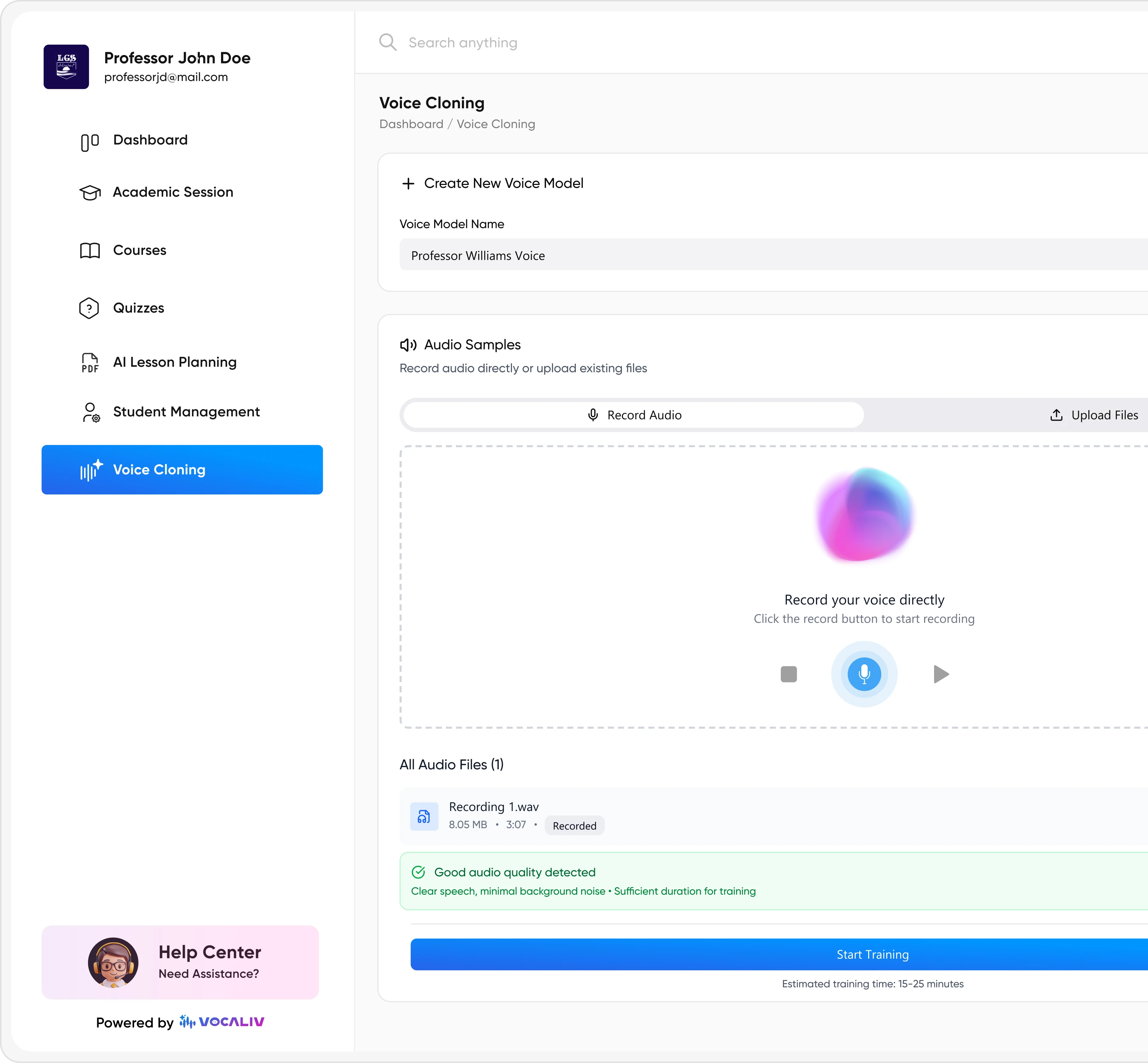
Where appropriate, voice cloning can help deliver AI-assisted course content in a familiar digital skills, L&D or training facilitator voice.
Start with a structured AI prompting and productivity template, add your own approved tools, policies and real workplace examples, and give employees a practical framework for writing better prompts, verifying outputs and using AI responsibly every day.